AI News
Apple 发布 iOS 27、iPadOS 27、macOS 27 等系统更新,推出 Siri AI 与新一代 Apple Intelligence
官方发布稿完整列出了 Siri AI 能力、设备适配和区域限制,读者可以据此判断升级是否影响自己的设备和使用地区。
Apple 开始推送 iOS 27、iPadOS 27、macOS 27、watchOS 27、visionOS 27 和 tvOS 27 更新,引入基于新一代 Apple Intelligence 的 Siri AI。
Siri AI,Apple Intelligence 的下一代版本、强大的家长控制功能,以及一整套丰富的软件改进,即日起开始通过 iOS 27、iPadOS 27、macOS 27 和其他 Apple 平台陆续推出
Apple 最新软件更新引入了 Siri AI——一个更智能、更博学、更强大的 Siri,并带来一系列实用的新 Apple Intelligence 功能,让用户日常使用的应用更加智能、更加有用。这些更新还带来了强大而直观的新功能,帮助家长为孩子营造更安全、更有益的数字体验,并引入一整套丰富的改进,让 Apple 产品响应更快、体验更愉悦、使用更简单。
Siri AI 是一个全新的 Siri 版本,由下一代 Apple Intelligence 驱动,并深度集成到 iPhone、iPad、Mac、Apple Watch 和 Apple Vision Pro 中。作为一款更强大、更具对话能力的智能助理,它具备个人情境理解能力、广博的世界知识、屏幕感知能力,以及更多系统级的 App 操作能力。
Siri AI 现已以测试版形式推出英文版,并将于 10 月支持法语、日语、韩语、葡萄牙语和西班牙语。
Siri AI 是一个能力更强、更具对话性的智能助手,具备个人情境理解能力、广泛的世界知识、屏幕感知能力,以及更多系统级的 app 操作。
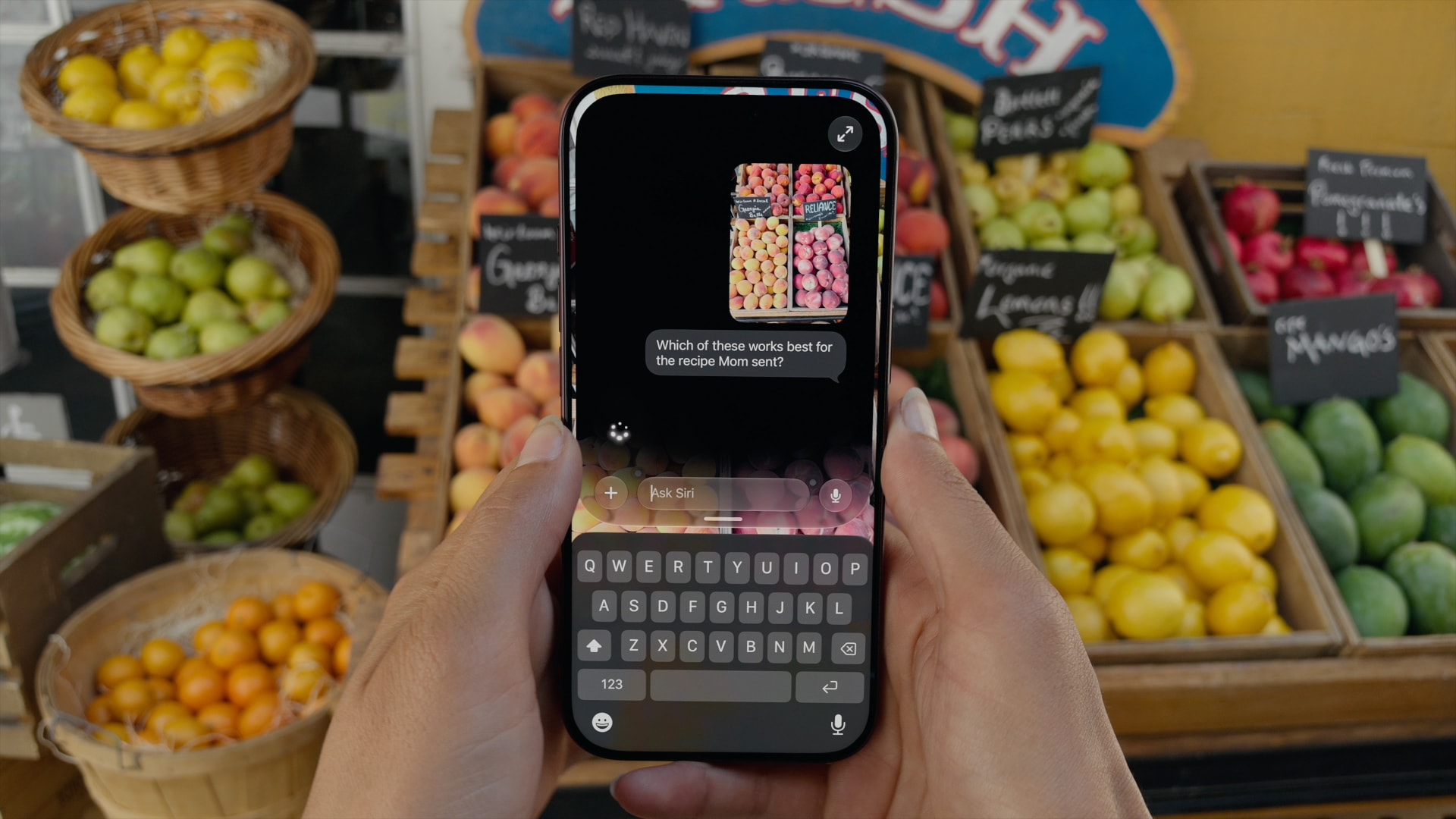
Siri AI 能够理解来自信息、邮件、照片等内容的个人情境,帮助用户在当下找到所需内容。它还可以回答与用户屏幕内容相关的问题,或上网获取最新信息以生成有用的答案。Siri 通过 Siri 模式集成到 iPhone 的相机 app 中,让用户能够获取眼前事物的信息并采取行动,比如分摊账单并通过 Apple Cash 向朋友付款,
或者将自定义卡证添加到钱包 app。借助视觉智能,iPhone、iPad 或 Mac 用户现在可以向 Siri 询问屏幕上正在查看的内容,而 Vision Pro 用户只需注视周围环境并向 Siri 提问,即可进行搜索、提问并采取行动。
借助"与 Siri 一起写作",用户只需描述自己的需求,即可生成草稿或帮助他们润色已写的内容。一款专门的 Siri app 利用 iCloud 在用户的各款产品之间私密同步对话历史,因此用户可以在 iPhone 上开始与 Siri 对话,然后在 Mac、iPad、Apple Watch 或 Apple Vision Pro 上继续交谈。
新一代 Apple Intelligence 还为用户每天依赖的应用带来了实用的新功能。在照片应用中,空间重构图、扩展以及升级后的“清理”工具提供了更多编辑照片的方式,同时尊重照片被拍摄时的原始瞬间。Image Playground 让用户能够以几乎任何风格创建高质量图像,包括照片级写实风格;借助图像元数据以及对 SynthID 标准即将推出的支持,用户可以识别由 AI 生成或编辑的图像。
在 Safari 中,Apple Intelligence 驱动的新工具可以自动将用户的标签页按主题整理;在网站发生变化时通知用户,例如商品补货或降价;并支持根据一段描述创建自定义扩展。通话上下文功能可在用户致电商家时呈现相关信息,例如验证码或预订号。
简单易用的新功能帮助家长管理孩子可以看到的内容、可以与谁交流,以及何时可以使用应用。全新的儿童账户设置流程让在系统范围内启用基于年龄的安全防护变得更加容易。从一开始,家长就可以精确选择孩子在其设备上可以使用的应用,并随着时间推移逐步添加更多应用。“
请求浏览”功能允许家长要求孩子在 Safari 中访问新网站前必须获得批准。除了能够批准孩子连接的每个新联系人外,家长还可以依靠“通信安全”功能,该功能现在还能在共享的图像或视频中发现血腥或暴力内容时进行检测并介入拦截。
屏幕使用时间经过重新设计,对家长来说更加直观易用,可一目了然地显示孩子的设备平均使用情况和最常用应用。在顶尖临床专家和儿童发展专家的指导下,新工具让家长可以轻松设置娱乐、游戏和社交媒体类应用的每日总时长限额,而“日程安排”功能则让家长能够管理孩子在一天中不同时段可以访问哪些应用。
对于希望了解更多信息、以便帮助孩子打造更安全、更充实的数字体验的家长和家庭,Apple 提供了一个
,其中包含最新工具的详细信息以及如何开始使用这些工具。
2027 年的软件版本带来了涵盖性能、连接性、搜索等在内的平台改进,让 Apple 产品的响应更迅速、运行更可靠、使用体验更愉悦。
:用户将在 iPhone、iPad 和 Mac 上体验到更快的性能。在 iPhone 和 iPad 上,App 启动速度最快可提升 30%,
拍摄后照片的加载速度最快可提升 70%,
AirDrop 传输速度最快可提升 80%。
在 iPad 上,浏览文件并将其传输到外接 USB 驱动器的速度现在最快可达 5 倍,多任务处理时关闭、切换和拖动窗口也有额外改进。
在 Mac 上,用户每天的操作都感觉格外迅捷流畅。AirDrop 传输更快,iCloud 照片上传启动更快,在空间之间滑动和 Mission Control 切换更顺滑,还有更多改进。在 Apple Watch 上,音乐播放速度也更快。
:在 iPhone 和 iPad 上,蜂窝网络与 Wi-Fi 网络之间的切换比以往任何时候都更加无缝。在“信息”中,在低带宽情况下发送大照片和大视频不再阻碍后续文本消息的发送,因此用户可以在媒体正在传输时继续回复。在 Mac 上,用户将体验到更快的网络文件浏览。Apple Vision Pro 的启动和 Wi-Fi 连接速度最快可达 3 倍。
:在 iPhone、iPad 和 Mac 上,Spotlight、照片和邮件中的搜索变得更稳定、高效和全面,从而更好地帮助用户准确找到所需内容。此外,邮件中全新的排名系统会在“最佳匹配”中呈现更相关的结果。
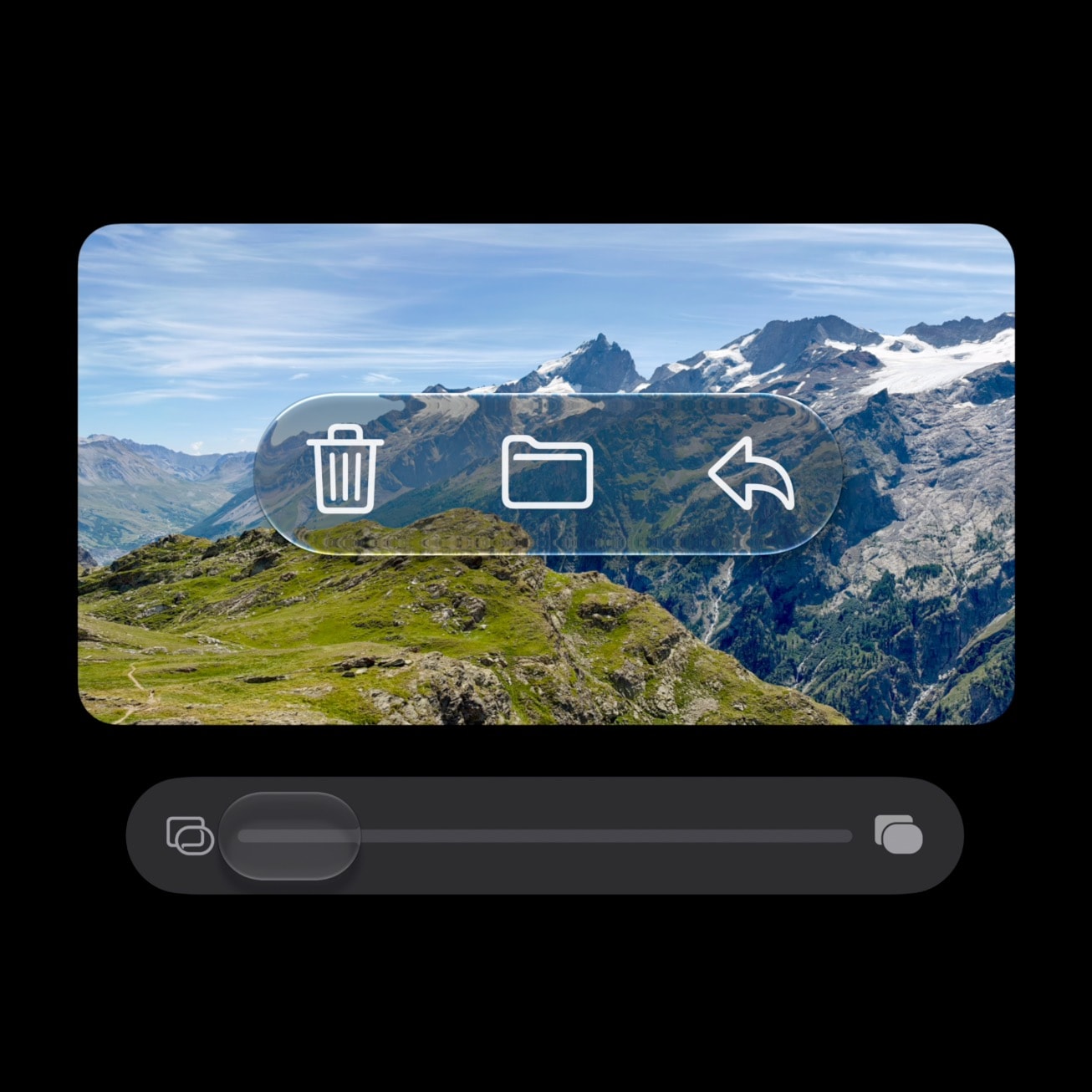
:借助 Liquid Glass 对软件设计进行的改进带来了更加专注、更易上手的体验。例如,设置中新增的滑块让用户可以个性化调整 Liquid Glass,从极致透明到完全着色随意调节以符合个人偏好,同时应用图标也经过更新,变得更加清晰锐利、轮廓分明。
对 Liquid Glass 的改进带来了更加专注、更易上手的体验。
各平台的更多功能:
Siri AI, the next generation of Apple Intelligence, powerful parental controls, and an expansive set of software improvements start rolling out today across iOS 27, iPadOS 27, macOS 27, and other Apple platforms
Apple’s latest software updates introduce Siri AI, a more intelligent, knowledgeable, and capable version of Siri, and deliver helpful new Apple Intelligence features that make the apps users interact with day to day smarter and more useful. The updates also bring powerful and intuitive new features to help parents create safer, more enriching digital experiences for kids and introduce an expansive set of improvements that make Apple products more responsive, more delightful, and easier to use.
Siri AI is an entirely new version of Siri powered by the next generation of Apple Intelligence and deeply integrated into iPhone, iPad, Mac, Apple Watch, and Apple Vision Pro. A more capable and conversational assistant with personal context understanding, broad world knowledge, onscreen awareness, and even more systemwide app actions, Siri AI is now rolling out as a beta in English, with support for French, Japanese, Korean, Portuguese, and Spanish coming in October.
Siri AI is a more capable and conversational assistant with personal context understanding, broad world knowledge, onscreen awareness, and even more systemwide app actions.
Siri AI can understand personal context across messages, emails, photos, and more, to help users find what they need in the moment. It can also answer questions related to the content on a user’s screen or go out to the web to get up-to-date information to generate a helpful answer. Siri is integrated into the Camera app on iPhone with Siri mode, allowing users to get information and take action on what’s in front of them, like splitting a bill and paying friends with Apple Cash,
or adding a custom pass to Wallet. With Visual Intelligence, users on iPhone, iPad, or Mac can now ask Siri about what they’re looking at on the screen, and Vision Pro users can search, ask questions, and take action simply by looking at their surroundings and asking Siri.
With Write with Siri, users can simply describe what they need to generate a draft or help refine what they’ve written. A dedicated Siri app uses iCloud to privately sync conversational history across a user’s products, so they can start chatting with Siri on iPhone and continue the conversation on Mac, iPad, Apple Watch, or Apple Vision Pro.
The next generation of Apple Intelligence also brings helpful new features to apps that users rely on every day. In Photos, Spatial Reframing, Extend, and an upgraded Clean Up tool provide more ways to edit photos while respecting the original moment as it was captured. Image Playground gives users the ability to create high-quality images in virtually any style, including photorealistic, and with image metadata and upcoming support for the SynthID standard, users can identify images generated or edited with AI.
In Safari, Apple Intelligence powers new tools that automatically organize a user’s tabs into topics; notify them of website changes, like product restocks or price drops; and enable the creation of custom extensions based on a description. Call Context surfaces relevant information, like a confirmation code or reservation number, when calling a business.
Easy-to-use new features help parents manage what their kids can see, who they can talk to, and when they have access to apps. A new setup flow for child accounts makes it easier to enable age-based safeguards across the system. From the beginning, parents can choose the exact apps their kids have access to on their device, and gradually add more over time. Ask to Browse allows parents to require approval before their kids access a new website in Safari. In addition to being able to approve each new contact their kids connect with, parents can lean on Communication Safety, which now also detects and intervenes to block gore or violent content when detected in shared images or videos.
Redesigned to be more intuitive for parents, Screen Time offers an at-a-glance view of their kids’ average device usage and top apps. New tools make it easy to set daily total time allowances across Entertainment, Games, and Social Media apps, with guidance from leading clinical and child development experts, and Schedules let parents manage which apps their children have access to at different points in the day.
For parents and families looking for more information on how to help create safer, more enriching digital experiences for their kids, Apple has a
dedicated website
, which includes details on the latest tools and how to get started using them.
The 2027 software releases deliver platform improvements that span performance, connectivity, search, and more, making Apple products even more responsive, reliable, and delightful to use.
Performance
: Users will experience faster performance on iPhone, iPad, and Mac. On iPhone and iPad, apps launch up to 30 percent faster,
photos load up to 70 percent faster after being taken,
and AirDrop transfers are up to 80 percent faster.
On iPad, browsing files and transferring them to an external USB drive is now up to 5x faster, and there are additional improvements to closing, switching, and dragging windows while multitasking.
On Mac, things users do every day feel extra snappy and responsive. AirDrop transfers are quicker, iCloud Photos uploads begin faster, swiping between spaces and Mission Control is smoother, and more. On Apple Watch, music playback is even faster.
Connectivity
: On iPhone and iPad, transitions between cellular and Wi-Fi networks are more seamless than ever. In Messages, sending large photos and videos in low-bandwidth situations no longer prevents subsequent texts from going through, so users can continue replying while media is being delivered. On Mac, users will experience faster network file browsing. Apple Vision Pro starts and connects to Wi-Fi up to 3x faster.
Search
: On iPhone, iPad, and Mac, search across Spotlight, Photos, and Mail is more stable, efficient, and comprehensive, so it can better help users find exactly what they are looking for. Additionally, a completely new ranking system in Mail surfaces even more relevant results in Top Hits.
Design
: Refinements to the software design with Liquid Glass deliver an even more focused and approachable experience. For example, a new slider in Settings gives users the option to personalize Liquid Glass, adjusting it anywhere from ultraclear to fully tinted to match their preference, and app icons have been updated to be sharper and more defined.
Refinements to Liquid Glass deliver an even more focused and approachable experience.
Additional features across platforms:
来源:Apple:Newsroom(RSS)· apple.com
配图